Qt QML From Beginner to Pro
Master modern UI development with Qt QML and Qt Quick. Create fluid, dynamic, and visually stunning user interfaces for desktop, mobile, and embedded applications. Learn declarative programming and advanced animation techniques.
 Taught by Daniel Gakwaya
- 30h 41m of video
About this course
QML makes it quick to put something fluid on screen. This course shows you how to build the whole application around it. Across 23 chapters, 190+ lessons, and 30+ hours of video, you’ll learn QML and Qt Quick from your first line of syntax all the way to a C++ backend feeding REST data, custom models, and custom-painted types into your interface. You’ll build real applications along the way: a GitHub explorer, a contact manager, animated UIs, and more, all on Qt 6.
- Start From Zero: no prior QML needed. You begin with syntax, property binding, and basic elements, and you’re running apps from the first chapter
- Fluid By Design: transforms, states, transitions, and animations like Behavior, SpringAnimation, PathAnimation, and easing curves
- Real-World Projects: build applications you’d actually want to use, not disconnected demos
- QML Meets C++: Q_PROPERTY mapping, context objects, instantiable types, singletons, custom models, and custom painted items
- Complete Integration: connect to REST APIs, SQLite databases, saved settings, and more
What you'll learn
- QML syntax, data types, property binding, custom components and modules, JavaScript in QML
- Signals and slots, text, mouse, and keyboard input, FocusScope, anchors, positioners, layouts
- 20+ Qt Quick Controls, ApplicationWindow, Drawer, SplitView, and file, color, font, and message dialogs
- ListView, GridView, PathView, TableView, with ListModel, XmlListModel, and dynamic models
- Transforms, Behavior, SmoothedAnimation, SpringAnimation, PathAnimation, easing curves, states, transitions
- XMLHttpRequest, REST clients, QML Settings, and SQLite
- Context properties, Q_PROPERTY mapping, C++ signals, calling JavaScript from C++, instantiable types, singletons
- Non-visual types with enums, attached and grouped properties, custom C++ list models, painted items like a bar chart
- QQmlEngine, QQuickView, QQmlApplicationEngine, invoking QML methods, catching QML signals
Projects you'll build
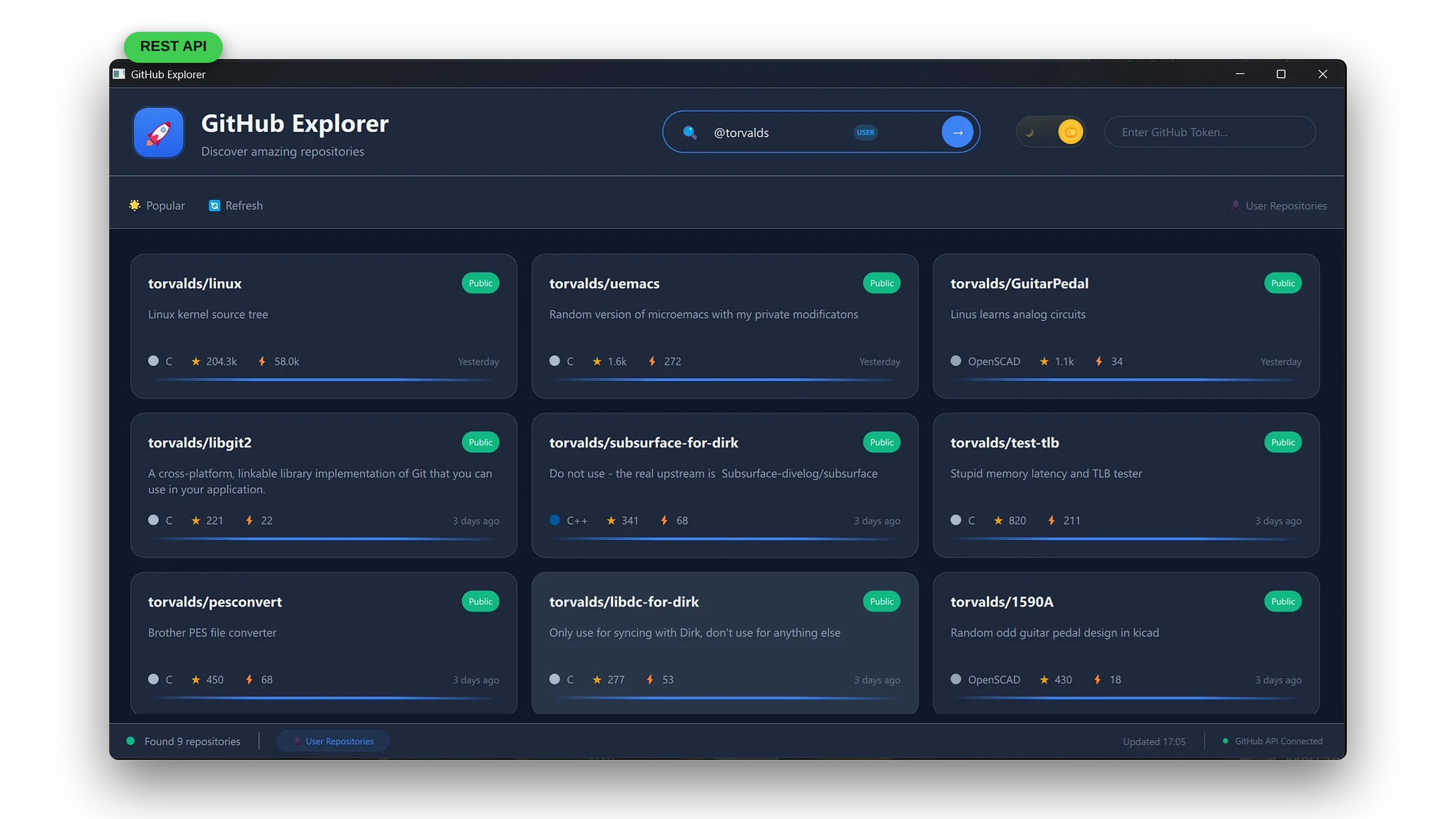
A GitHub Explorer
You will use QML to build a sleek GitHub client on top of the GitHub API, featuring dynamic lists, C++ backend integration, theme switching, smooth animations, and a responsive design. It’s where the REST client, custom models, and C++ integration chapters come together in one application.
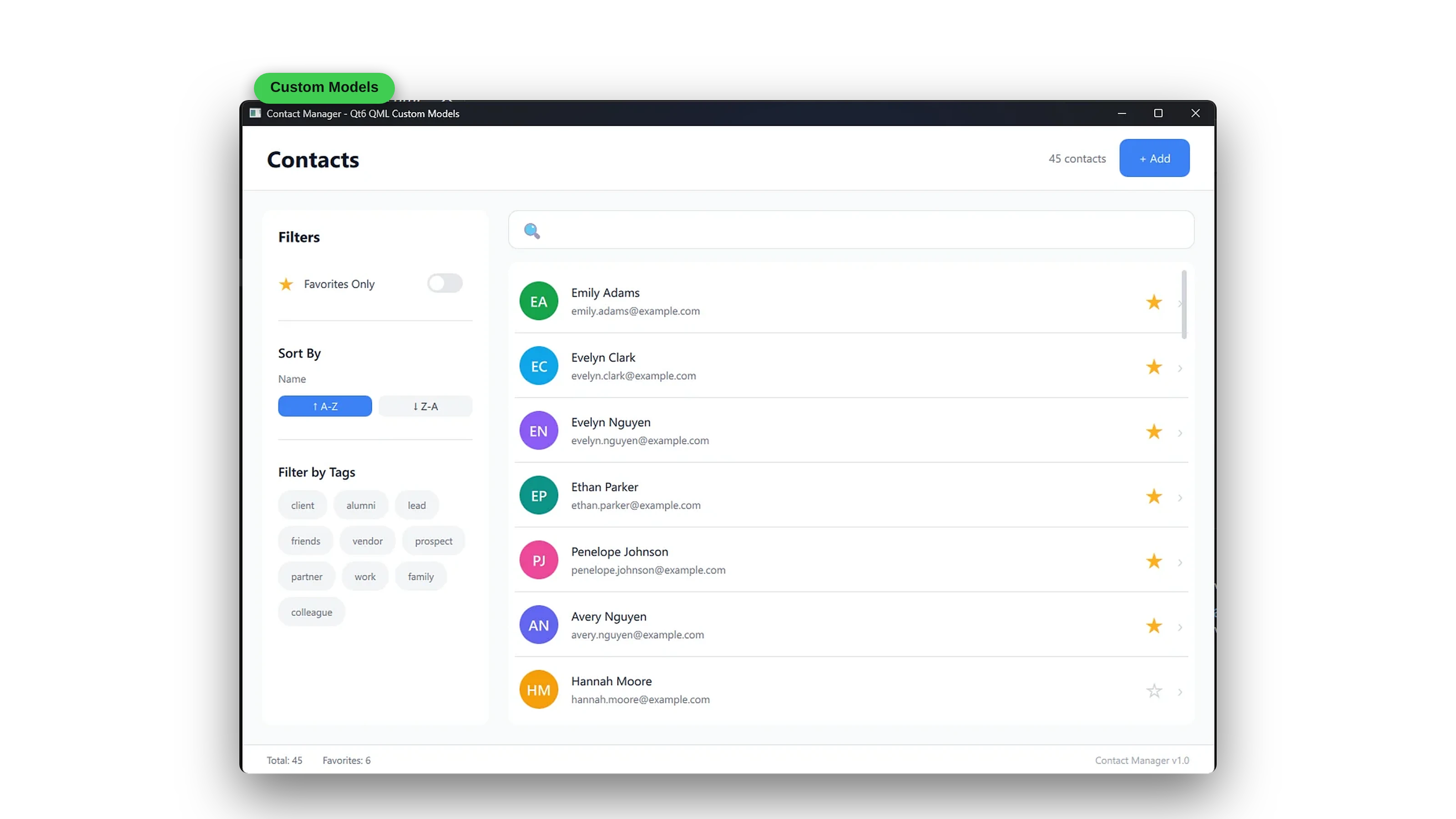
A Contact Manager
A contact manager where QML handles the interface and a custom C++ model handles the data. You’ll build the list, make it editable, and keep the data decoupled from the UI, the way professional Qt teams structure their apps.
Curriculum
23 chapters · 191 lessons · 30h 41m
Chapter 1 Introduction 5 lessons
Chapter 2 QML Syntax 7 lessons
Chapter 3 Basic Elements 5 lessons
- 3.1 Introduction
- 3.2 Rectangle, Item and Text
- 3.3 Image
- 3.4 Qt_add_resource
- 3.5 Summary
Chapter 4 Custom Components and Modules 6 lessons
- 4.1 Introduction
- 4.2 Custom Components
- 4.3 Custom Components in Place
- 4.4 QML Modules
- 4.5 QML Modules (legacy)
- 4.6 Summary
Chapter 5 Signals and Slots 12 lessons
- 5.1 Introduction
- 5.2 Signal Handlers
- 5.3 Signal Parameters
- 5.4 Property Change Signals
- 5.5 Connections
- 5.6 Attached Signal Handlers
- 5.7 Custom Signals
- 5.8 Connect a Signal to a Method
- 5.9 Connect a Signal to a Signal
- 5.10 Signals across Components
- 5.11 Multiple Signal Parameters
- 5.12 Summary
Chapter 6 User Input 9 lessons
- 6.1 Introduction
- 6.2 Text Input
- 6.3 Better Text Input
- 6.4 Text Edit
- 6.5 MouseArea
- 6.6 Keys Attached Property
- 6.7 Key Navigation
- 6.8 FocusScope
- 6.9 Summary
Chapter 7 JavaScript 9 lessons
- 7.1 Introduction
- 7.2 JavaScript Usage
- 7.3 Functions and Scope
- 7.4 JavaScript Direct Import
- 7.5 JavaScript Indirect Import
- 7.6 Qt Include
- 7.7 JavaScript Modules
- 7.8 QML Module Utilities
- 7.9 Summary
Chapter 8 Positioning 8 lessons
- 8.1 Introduction
- 8.2 Anchors
- 8.3 Anchor Margin and Offsets
- 8.4 Anchors on Parents and Siblings
- 8.5 Positioning
- 8.6 Layouts
- 8.7 Flow
- 8.8 Summary
Chapter 9 Qt Quick Controls 22 lessons
- 9.1 Introduction
- 9.2 Button
- 9.3 BusyIndicator
- 9.4 CheckBox
- 9.5 ComboBox
- 9.6 DelayButton
- 9.7 Dial
- 9.8 Frame
- 9.9 GroupBox, RadioButton and CheckBox
- 9.10 SwipeView and PageIndicator
- 9.11 ProgressBar
- 9.12 RangeSlider
- 9.13 Flickable and ScrollBar
- 9.14 Slider
- 9.15 Switch
- 9.16 Page and TabBar
- 9.17 TextArea and ScrollView
- 9.18 TextField and Label
- 9.19 SplitView
- 9.20 Drawer
- 9.21 ApplicationWindow
- 9.22 Summary
Chapter 10 Dialogs 8 lessons
- 10.1 Introduction
- 10.2 ColorDialog
- 10.3 FileDialog
- 10.4 FolderDialog
- 10.5 FontDialog
- 10.6 MessageDialog
- 10.7 CustomDialog
- 10.8 Summary
Chapter 11 Model View Architecture 12 lessons
- 11.1 Introduction
- 11.2 ListView and ListModel
- 11.3 Inline Models
- 11.4 Header, Footer and Highlight
- 11.5 Section Decoration
- 11.6 Repeater
- 11.7 Dynamic Models
- 11.8 GridView
- 11.9 XmlListModel
- 11.10 PathView
- 11.11 TableView
- 11.12 Summary
Chapter 12 Transforms, Transitions and Animations 15 lessons
- 12.1 Introduction
- 12.2 Transforms
- 12.3 Animation Introduction
- 12.4 Animation Targets
- 12.5 Behavior
- 12.6 SmoothedAnimation
- 12.7 SpringAnimation
- 12.8 PathAnimation
- 12.9 ColorAnimation
- 12.10 Easing Curves
- 12.11 GroupedAnimations
- 12.12 Pendulum Swing
- 12.13 States and Transitions
- 12.14 States with Gradients
- 12.15 Summary
Chapter 13 Networking 4 lessons
- 13.1 Introduction
- 13.2 XmlHttpRequest
- 13.3 REST Api
- 13.4 Summary
Chapter 14 Storage 6 lessons
- 14.1 Introduction
- 14.2 Settings (Automatic)
- 14.3 Settings (Custom)
- 14.4 Save the States
- 14.5 SQLite
- 14.6 Summary
Chapter 15 Interfacing C++ to QML 11 lessons
- 15.1 Introduction
- 15.2 Context Properties
- 15.3 Connections
- 15.4 Signals from the C++ Side
- 15.5 QPROPERTY Mapping
- 15.6 Context Objects
- 15.7 Calling JavaScript from C++
- 15.8 Instantiable Objects
- 15.9 Instantiable Module
- 15.10 Singleton Object
- 15.11 Summary
Chapter 16 Data Conversions Between C++ and QML 6 lessons
- 16.1 Introduction
- 16.2 Basic Data Types
- 16.3 Time and DateTime
- 16.4 Sequence Types to JavaScript Arrays
- 16.5 VariantList and VariantMap
- 16.6 Summary
Chapter 17 REST Integration 5 lessons
- 17.1 Introduction
- 17.2 REST Client V1
- 17.3 REST Factory
- 17.4 Fetching Posts
- 17.5 Summary
Chapter 18 Non Visual Types 11 lessons
- 18.1 Introduction
- 18.2 Custom Counter Type
- 18.3 Enums
- 18.4 Counter Enum Version
- 18.5 Object and List Properties
- 18.6 Inherited Types
- 18.7 Default Properties
- 18.8 Grouped Properties
- 18.9 Attached Properties
- 18.10 Property Value Sources
- 18.11 Summary
Chapter 19 Custom Models 11 lessons
- 19.1 Introduction
- 19.2 StringList Model
- 19.3 Object List Model
- 19.4 Editable Object List Model
- 19.5 QProperty Edits
- 19.6 Abstract List Model Concepts
- 19.7 Non Editable Abstract List Model
- 19.8 Editable Abstract List Model
- 19.9 Decoupling the Data from the Source
- 19.10 Model List Properties
- 19.11 Summary
Chapter 20 REST Client V2 1 lesson
- 20.1 REST Client V2
Chapter 21 Custom Visual Types 6 lessons
- 21.1 Introduction
- 21.2 Painting QML Items
- 21.3 Bar Chart
- 21.4 Bar Chart List Properties
- 21.5 Visual Components with the Canvas Element
- 21.6 Summary
Chapter 22 Singletons 4 lessons
- 22.1 Introduction
- 22.2 QJsValue
- 22.3 QObject
- 22.4 Summary
Chapter 23 Digging QML 8 lessons
- 23.1 Introduction
- 23.2 Using QQmlEngine to Load QML
- 23.3 Parsing a Custom QML Type
- 23.4 Visual Types Through QQuickView
- 23.5 QQmlApplicationEngine
- 23.6 Invoking QML Methods
- 23.7 Catching QML Signals
- 23.8 Summary
More about this course
Some More Projects
Alongside the main projects, you’ll build smaller focused ones that each teach one thing well. You’ll also create a todo list application, a REST client (built twice, the second time with a production-ready architecture), a custom bar chart painted from C++, and more.
A showcase of the core visual building blocks every QML interface is made of, including rectangles, images, text, and positioning:
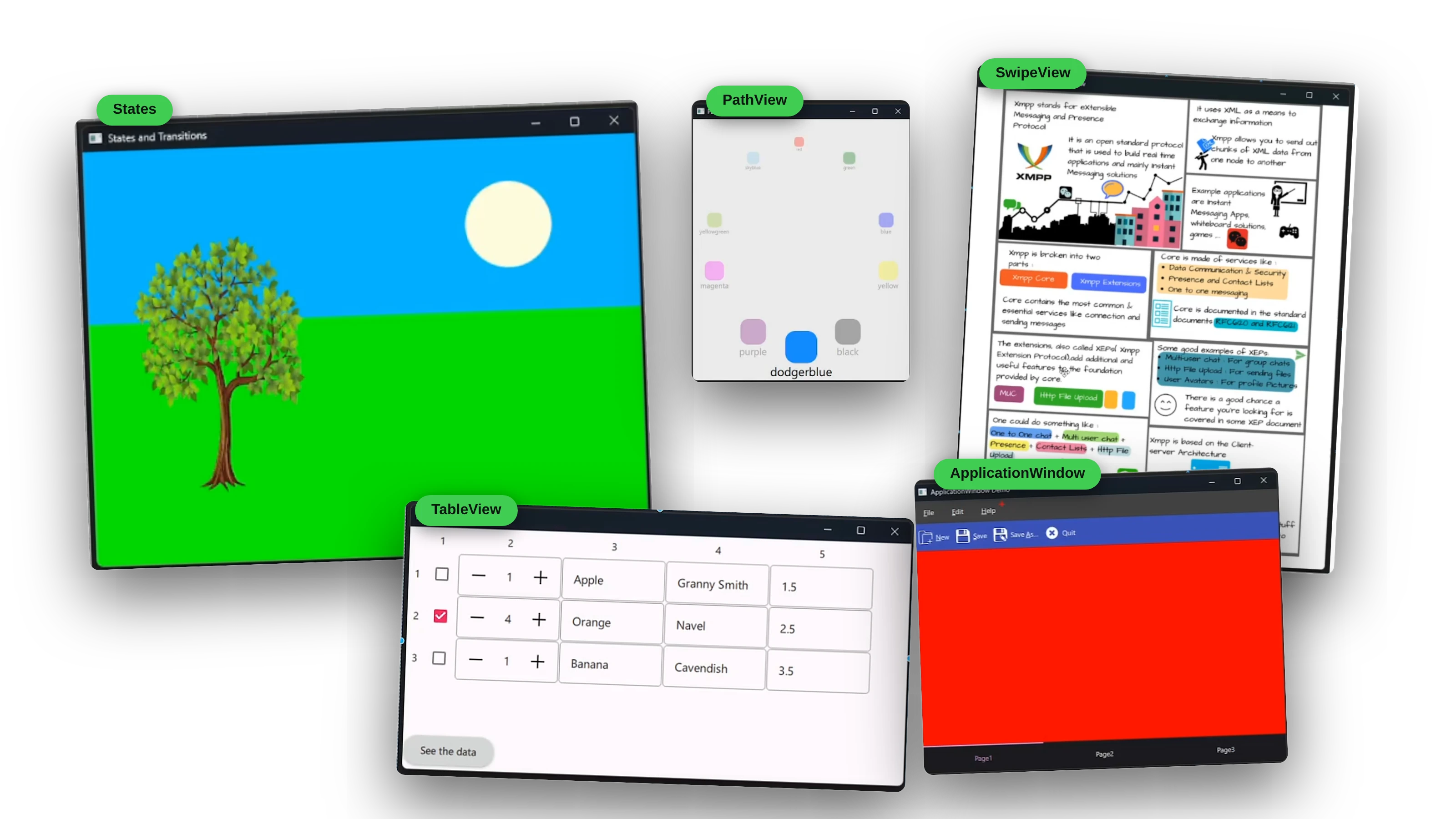
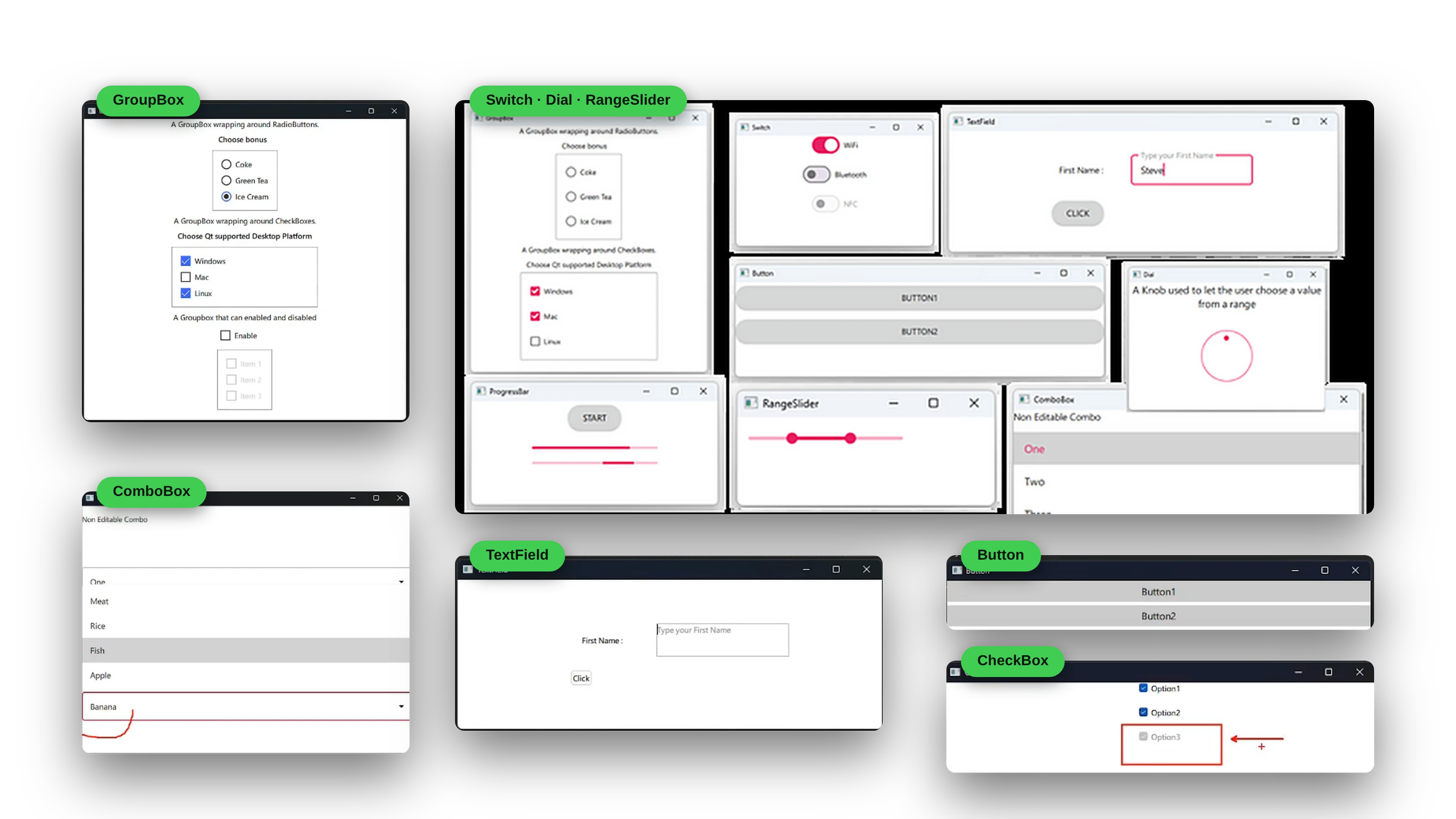
Qt Quick Controls in action, from buttons and combo boxes to sliders, tab bars, drawers, and a full ApplicationWindow:
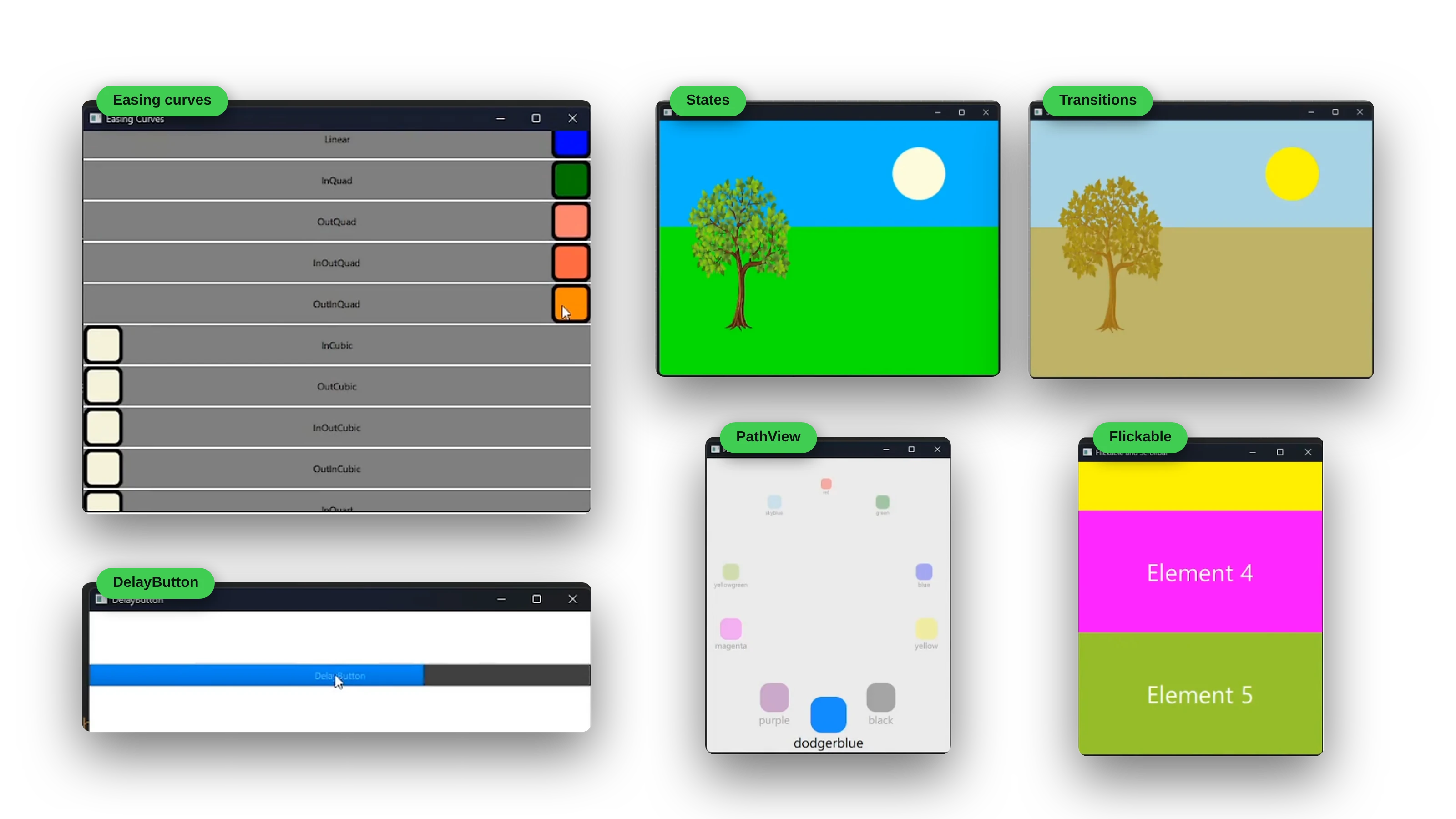
Animations that bring your interfaces to life, with transforms, states, transitions, easing curves, and grouped animations:
What You’ll Master
- QML Foundations: syntax, data types, property binding, custom components and modules, and JavaScript in QML
- Interaction and Layout: signals and slots, text, mouse, and keyboard input, FocusScope and key navigation, anchors, positioners, and layouts
- Controls and Dialogs: 20+ Qt Quick Controls, ApplicationWindow, Drawer, and SplitView, plus file, color, font, and message dialogs
- Data and Views: ListView, GridView, PathView, and TableView, with ListModel, XmlListModel, and dynamic models
- Animation: transforms, Behavior, SmoothedAnimation, SpringAnimation, PathAnimation, easing curves, states, and transitions
- Networking and Storage: XMLHttpRequest, REST clients, QML Settings, and SQLite
- QML and C++: context properties, Q_PROPERTY mapping, signals from C++, calling JavaScript from C++, instantiable types, singletons, and data conversions
- Custom Types and Models: non-visual types with enums, attached and grouped properties, custom C++ list models, and painted visual items including a bar chart
- QML Engine Internals: QQmlEngine, QQuickView, QQmlApplicationEngine, invoking QML methods, and catching QML signals
After This Course, You’ll Be Able To:
- Create modern, fluid user interfaces with QML and Qt Quick
- Build animations and transitions that make apps feel alive
- Integrate QML frontends with C++ backends
- Build custom C++ models and custom visual types for QML
- Connect your apps to REST APIs and SQLite databases
- Create interfaces that run on desktop, mobile, and embedded devices
Created By Someone Who Understands The Struggle
“QML can seem overwhelming at first. The declarative approach is different, and the documentation can be scattered. I’ve spent years mastering QML for production applications, and I want to share that knowledge.”
This course distills years of professional QML development into a clear learning path:
- From basic syntax to advanced patterns
- Real-world problem solving techniques
- Performance optimization strategies
Perfect for developers who want to create modern, engaging user interfaces. Whether you’re building mobile apps, desktop applications, or embedded interfaces, QML gives you the tools to create something truly special.
What you’ll get:
- 30+ hours of step-by-step video across 23 chapters and 190+ lessons, with Multithreading and Deployment chapters coming as free updates
- Complete source code for every project
- Downloadable PDFs and course resources
- Qt 6 and Qt Creator setup walkthroughs for Windows and Linux
- Lifetime updates as Qt evolves
- Discord community access with 4,000+ Qt developers
- Professional certificate
Your complete learning journey: by the time you finish, you won’t just know QML syntax. You’ll have built complete applications, connected them to real C++ backends and web APIs, and developed the confidence to design and structure your own projects from scratch. From smooth animations to data-driven interfaces, you’ll have the skills to make your applications feel professional.
🛡️ 30-DAY MONEY-BACK GUARANTEE
If you’re not completely satisfied with your progress after 30 days, get a full refund. No questions asked.
- Full 30-day trial period
- No questions asked
- Email support for refunds
- Risk-free learning
STILL HAVE QUESTIONS?
Get personalized help from instructor Daniel Gakwaya and the community.
- Join our Discord: chat with 4,000+ Qt developers, usually replied to within hours
- Email the instructor: daniel.g@learnqt.guide
Ready to build amazing QML applications? Enroll today and start your journey. Or just start by watching the beginning free preview chapters to make sure the course works for you.
Your instructor
Daniel Gakwaya
Daniel is a Founder and Senior Software Engineer at Squared Computing. He has been writing software since 2011 and Qt is one of his favorite frameworks. Many of his cross platform Qt based projects are completed and out there on the market. Autodidact by nature ,he has a passion for learning new things and loves sharing knowledge with others. Especially people new to the dark art of software development.
What students say
No reviews are published yet.
Questions
Do I need prior programming experience?
No! The course is designed to be approachable and starts from QML basics. The later chapters connect QML to C++, so some C++ familiarity helps there. If you already have programming experience, you’ll be able to progress faster.
Which version of Qt does the course use?
Qt 6. Setup is covered for Windows and Linux and Mac
Is this course about QML or Qt Widgets?
QML and Qt Quick. If you’re interested in Qt Widgets, take a look at our Qt Widgets with C++ course.
What if I get stuck on something?
You’ll have access to our Discord community of 4,000+ developers, plus direct help from Daniel. Most questions are answered within hours, and complex issues get detailed video responses.
How long will it take to complete?
Most students finish in 8-12 weeks studying 1-2 hours per day. With lifetime access, you can go at your own pace, with no pressure or deadlines.
Will this help me get a job?
Absolutely! The course focuses on real-world projects that showcase skills employers want. Many students have landed developer roles, freelance contracts, and promotions after completing our courses.
What if I'm not satisfied?
We offer a 30-day money-back guarantee. If you’re not completely satisfied with your progress, get a full refund, no questions asked.
Does the course get updated?
Yes! You get lifetime updates as technologies evolve. When Qt releases new versions or new content is added, you get it automatically at no extra cost.