Desktop Apps with Qt Widgets and C++
Master professional desktop application development using Qt Widgets and modern C++. Build cross-platform applications that run seamlessly on Windows, macOS, and Linux with native performance and polished user interfaces.
 Taught by Daniel Gakwaya
- Beginner → Advanced
- 63h 4m of video
About this course
Most Qt tutorials stop at a button and a label. This course takes you the whole way, from your first line of C++ to installable applications you can ship to real users on Windows, Mac, and Linux. Across 23 chapters, 224+ lessons, and 60+ hours of video, you’ll learn modern C++ and Qt 6 side by side, and you’ll build real applications at every step: a full-featured painting app, a Flappy Bird game, custom widgets, an Expense Tracker backed by SQLite, and more. No scattered docs, no outdated Qt 5 examples, no gaps.
- Start From Zero: no prior C++ or Qt needed. A C++ crash course has you building your first GUI app within the opening chapters
- Native Speed, Everywhere: one codebase that runs on Windows, Mac, and Linux with true native performance
- Real-World Projects: build applications you’d actually want to use, not disconnected demos
- Modern C++ and Qt 6: smart pointers, Qt’s parent-child memory model, CMake, and the patterns professionals use today
- Complete Integration: connect to SQLite databases, REST APIs, the file system, and more
What you'll learn
- C++ crash course, heap vs stack, smart pointers, parent-child ownership, signals and slots, lambdas
- 18+ widgets, layouts and size policies, dialogs, menus, toolbars, QPalette, stylesheets, resources
- Saved settings, file handling, REST APIs and JSON, runtime language switching
- Event system and filters, custom events and widgets, QPainter, drag and drop
- Model/View basics, custom table and tree models, delegates, proxy models, SQLite app
- Scene-based graphics with thousands of items, resizable items, selections, transforms, rubber band selection
- Deployment on Windows, Linux, and Mac with windeployqt and the Qt Installer Framework
Projects you'll build
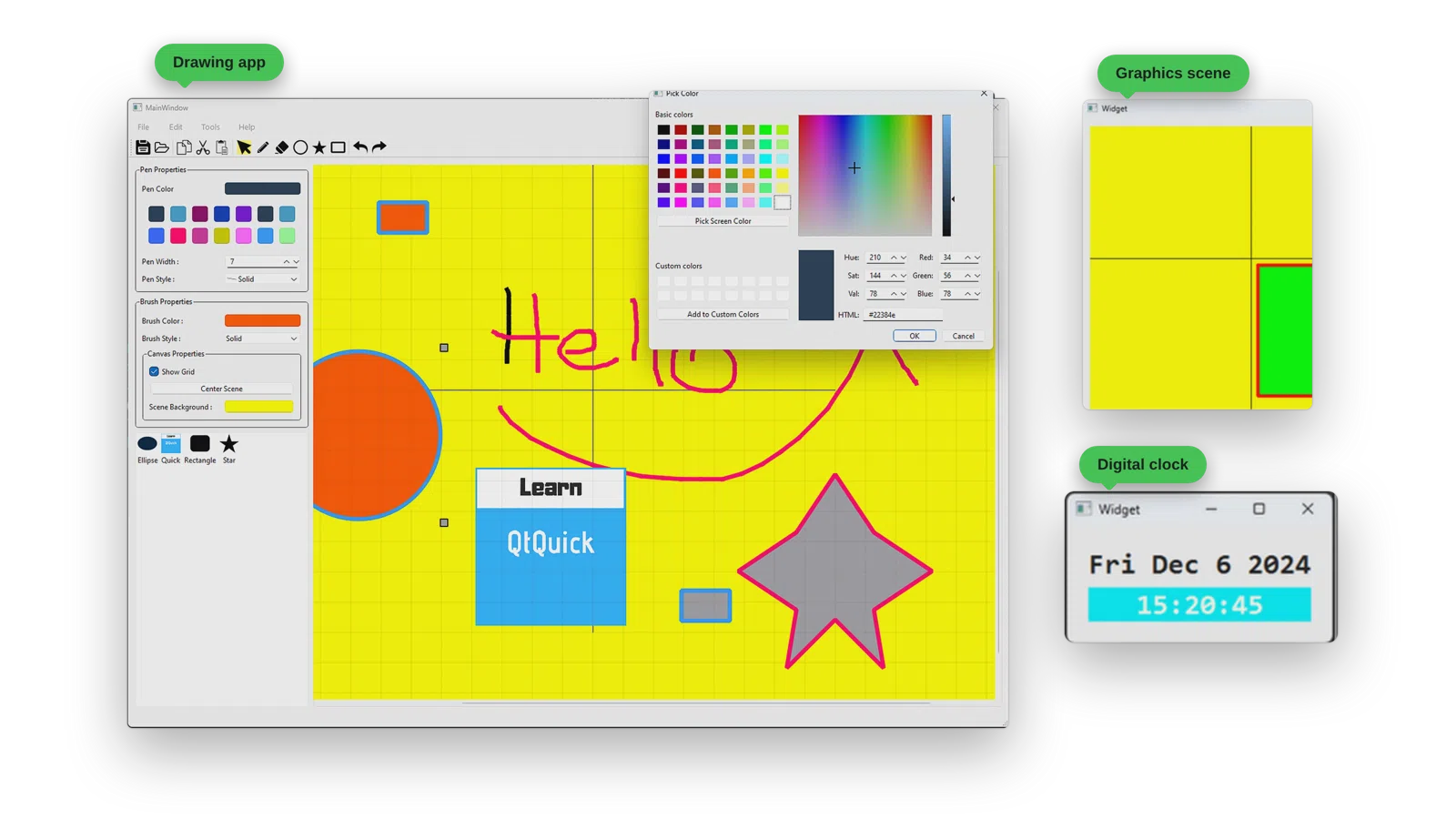
A Painting Application
This is a professional painting application with selectable items, rich menus, toolbars and custom drawing tools using Qt Widgets and C++.
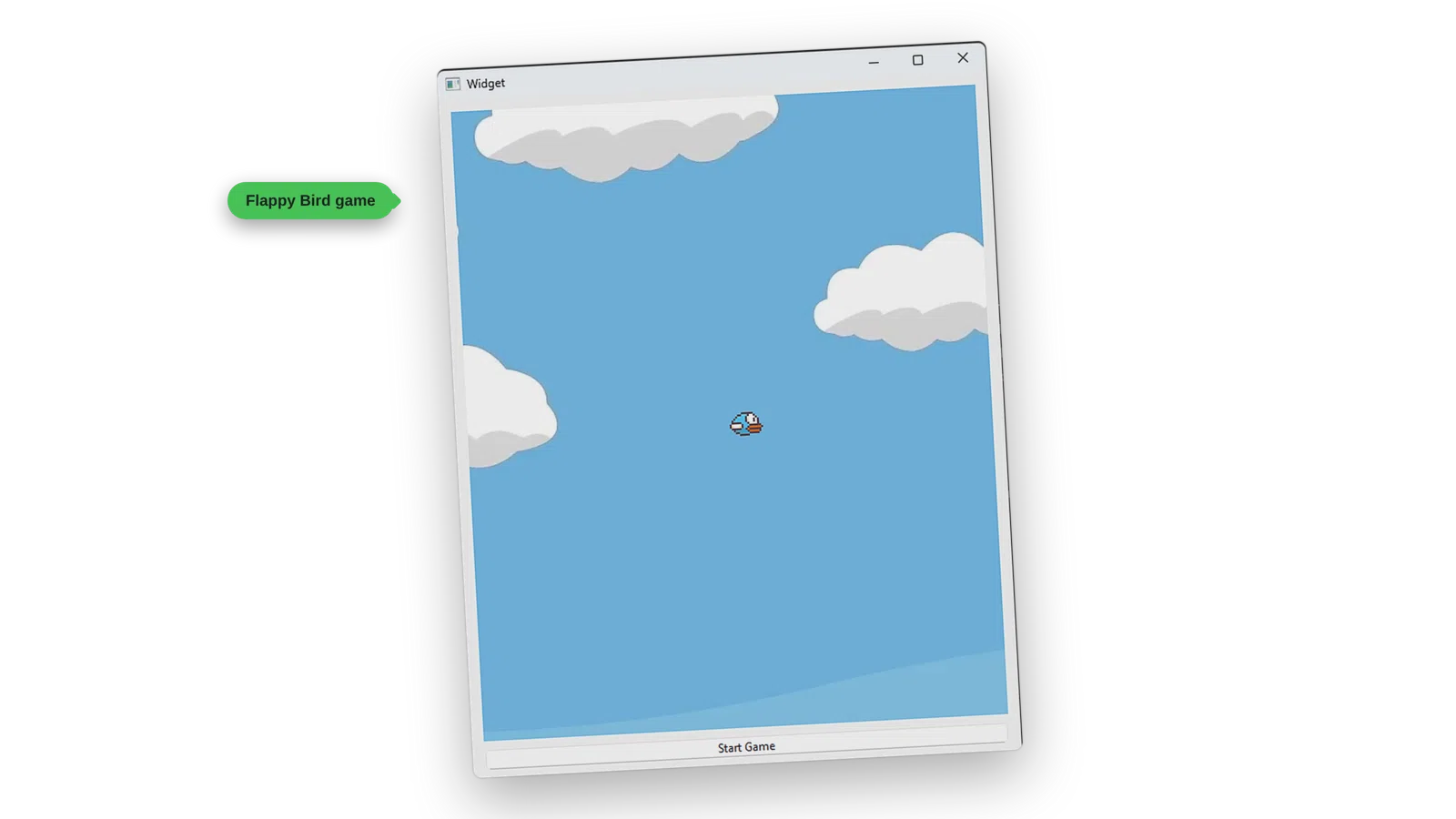
A Flappy Bird Clone
You will create a Flappy Bird clone using Qt Widgets and C++, featuring smooth animations, collision detection, and score tracking. Built on the Graphics View framework, you’ll make the pillars and the bird as graphics items, make the bird fly, and detect collisions between them.
Curriculum
21 chapters · 222 lessons · 63h 4m
Chapter 1 Welcome 3 lessons
Chapter 2 Environment Setup 2 lessons
Chapter 3 Getting Started, C++ Crash Course 16 lessons
- 3.1 Introduction
- 3.2 Qt Creator User Interface
- 3.3 Standard C++ Console Apps (Non Qt Console)
- 3.4 Qt Console Apps
- 3.5 Streams
- 3.6 Data Types
- 3.7 Flow Control and Loops
- 3.8 Practice - Guess My Number
- 3.9 Functions
- 3.10 Classes Declarations and Instantiations
- 3.11 Classes Constructors
- 3.12 Classes Multiple Files
- 3.13 Build Process Declarations and Definitions
- 3.14 Qt GUI Intro
- 3.15 Practice - Guess My Number GUI
- 3.16 Summary
Chapter 4 Memory Management 5 lessons
- 4.1 Introduction
- 4.2 Heap and Stack Memory
- 4.3 Smart Pointers
- 4.4 Qt Parent Child Relationship
- 4.5 Summary
Chapter 5 Signals and Slots 7 lessons
- 5.1 Introduction
- 5.2 Lambdas
- 5.3 Signals and Slots
- 5.4 Practice - Slider and ProgressBar Connected
- 5.5 Practice - Calory Counter
- 5.6 Qt6 Property Bindings
- 5.7 Summary
Chapter 6 A Tour of Qt Widgets 19 lessons
- 6.1 Introduction
- 6.2 QWidget
- 6.3 QMainWindow
- 6.4 QMessageBox
- 6.5 QPushButton
- 6.6 QLineEdit
- 6.7 QTextEdit
- 6.8 QLabel
- 6.9 QHBoxLayout
- 6.10 QVBoxLayout
- 6.11 Size Policies and Stretches
- 6.12 QGridLayout
- 6.13 RadioButton and Checkbox
- 6.14 QList
- 6.15 QListWidget
- 6.16 QTabWidget
- 6.17 QComboBox
- 6.18 Menus, Toolbars and Actions
- 6.19 Summary
Chapter 7 Dialogs 8 lessons
- 7.1 Introduction
- 7.2 Dialog
- 7.3 QDialogButtonBox
- 7.4 QFileDialog
- 7.5 QFontDialog
- 7.6 QColorDialog
- 7.7 QInputDialog
- 7.8 Summary
Chapter 8 Resources 3 lessons
- 8.1 Qt Resource System Theory
- 8.2 Qt Resource System Demo
- 8.3 Summary
Chapter 9 Styling 6 lessons
- 9.1 Styling Overview
- 9.2 QPalette
- 9.3 Stylesheets Inline
- 9.4 Stylesheets External
- 9.5 More with Stylesheets
- 9.6 Summary
Chapter 10 Settings 3 lessons
- 10.1 Settings Theory
- 10.2 Settings Demo
- 10.3 Summary
Chapter 11 Files and Directories 3 lessons
- 11.1 QFile
- 11.2 QDir
- 11.3 Summary
Chapter 12 Networking 4 lessons
- 12.1 Qt Network Offerings
- 12.2 QNetworkAccessManager
- 12.3 Building a JSON HTTP Client
- 12.4 Summary
Chapter 13 Event Handling 11 lessons
- 13.1 Chapter Intro
- 13.2 Overview of Events in Qt
- 13.3 Specific Events
- 13.4 Event Propagation
- 13.5 Override QObject Event
- 13.6 Event Filters Theory
- 13.7 Event Filter on QObject
- 13.8 Event Filter on QApplication
- 13.9 QApplication Notify
- 13.10 Posting and Sending Events
- 13.11 Chapter Summary
Chapter 14 Custom Widgets 8 lessons
- 14.1 Chapter Intro
- 14.2 Composing Widgets
- 14.3 Composing DateTime
- 14.4 Modifying Widgets - DoubleClickableButton
- 14.5 Water Level Monitor - Indicator
- 14.6 Water Level Monitor - Tank
- 14.7 Promoting Widgets
- 14.8 Chapter Summary
Chapter 15 Painting and Drawing 17 lessons
- 15.1 Chapter Intro
- 15.2 The Coordinate System
- 15.3 Drawing on a Pixmap
- 15.4 Drawing Shapes
- 15.5 QPen
- 15.6 QBrush
- 15.7 Brush Gradients
- 15.8 Painter Path
- 15.9 Painter Transforms
- 15.10 Car Painting
- 15.11 Shape Maker - UI
- 15.12 Shape Maker - Canvas
- 15.13 Shape Maker - All Together
- 15.14 PainterApp - UI
- 15.15 PainterApp - Canvas
- 15.16 Water Level Monitor Improved
- 15.17 Chapter Summary
Chapter 16 Drag and Drop / Clipboard 9 lessons
- 16.1 Chapter Intro
- 16.2 Drag Drop Architecture Concepts
- 16.3 Receiving Drag Operations
- 16.4 Receiving Dropped Images
- 16.5 Drag Drop Between Widgets
- 16.6 Data Transfer Through Mime Data Subclass
- 16.7 Clipboard
- 16.8 Painter App Clipboard and Drag Drop
- 16.9 Chapter Summary
Chapter 17 Model View Architecture - Advanced 30 lessons
- 17.1 Model View Architecture Birds Eye View
- 17.2 QListWidget
- 17.3 QTableWidget
- 17.4 QTreeWidget
- 17.5 QFileSystemModel
- 17.6 QStringListModel
- 17.7 QSortFilterProxyModel
- 17.8 Read-Only Custom Models
- 17.9 Editable Models With Custom Headers
- 17.10 Adding and Removing Rows in Editable Models
- 17.11 Custom Roles in Custom Models
- 17.12 Custom Table Model
- 17.13 Delegates in Custom Models
- 17.14 Custom Painted Delegates
- 17.15 Custom Star Delegate - Overview
- 17.16 Custom Star Delegate - The UI
- 17.17 Custom Star Delegate - StarEditor
- 17.18 The Actual Star Delegate
- 17.19 Delegates Challenge
- 17.20 Drag and Drop In Convenience Widgets
- 17.21 Drag and Drop At Item Level
- 17.22 Drag and Drop in Custom Models
- 17.23 Person Tree Structure - Concepts
- 17.24 Building The Structure
- 17.25 Custom Read-Only Tree Model - Concepts
- 17.26 Custom Read-Only Tree Model - In Memory Data
- 17.27 Custom Read-Only Tree Model - Data From File
- 17.28 Editable Tree Model
- 17.29 Expense Tracker Project
- 17.30 Expense Tracker Project with SQLite
Chapter 18 Graphics View Framework 34 lessons
- 18.1 Graphics View Framework: Chapter Overview
- 18.2 Getting Started: Adding Items
- 18.3 Getting Started: Key Events and Scene Size
- 18.4 Getting Started: Coordinate Systems
- 18.5 Event Propagation
- 18.6 Parent Child Relationship
- 18.7 Drawing Items
- 18.8 Working with Selections
- 18.9 Working with Transforms
- 18.10 Working with Selection Areas: Set Up
- 18.11 Working with Selection Areas: Draw Foreground, Draw Background
- 18.12 Working with Selection Areas: Zooming, Reset and Fit in View
- 18.13 Building Resizable Items: Theory
- 18.14 Resizable Items: Raw Resizable Rectangle Item
- 18.15 Resizable Items: Raw Resizable Pixmap and Star Item
- 18.16 Resizable Items: Formal Interface
- 18.17 GraphicsScene: Render Scene To Image
- 18.18 Housing Widgets in Graphics Scene
- 18.19 Drag And Drop: ShapeListWidget
- 18.20 Drag and Drop: ColorListWidget
- 18.21 Drag and Drop: Drop in Scene
- 18.22 Drag and Drop: Drop on GraphicsItem
- 18.23 Practice Project: Flappy Bird Game, Project Setup
- 18.24 Flappy Bird Game: PillarItem
- 18.25 Flappy Bird Game: BirdItem
- 18.26 Flappy Bird Game: Make Bird Fly Up
- 18.27 Flappy Bird Game: Collision Detection
- 18.28 Practice Project: PainterApp, Project Setup
- 18.29 PainterApp: Pen Strokes
- 18.30 PainterApp: Eraser
- 18.31 PainterApp: Geometric Shapes
- 18.32 PainterApp: Delete Key and Load Image
- 18.33 PainterApp: Rubber Band Selection
- 18.34 GraphicsView Framework: Chapter Review
Chapter 19 Miscellaneous - Tuning PainterApp Like a Real App 20 lessons
- 19.1 Chapter Overview
- 19.2 User Interface Clean Up: Project Setup
- 19.3 Pen Properties: Pen Color
- 19.4 Pen Properties: Pen Style and Width
- 19.5 Pen Properties: Color Picker
- 19.6 User Interface Clean Up: Brush Properties
- 19.7 User Interface Clean Up: Canvas Properties
- 19.8 Tool Cursors
- 19.9 Copy, Cut Paste: Overview
- 19.10 Copy, Cut Paste: Overriding Read(>>) and Write(<<)
- 19.11 Copy, Cut Paste: Building the StrokeItem Class
- 19.12 Copy, Cut Paste: Datastream Read and Write Methods
- 19.13 Copy, Cut Paste: Finalizing the Feature
- 19.14 Copy, Cut Paste: Fix StrokeItem Position
- 19.15 Saving and Loading Documents
- 19.16 Undo Redo: Overview
- 19.17 Undo Redo: AddCommand
- 19.18 Undo Redo: RemoveCommand
- 19.19 Undo Redo: MoveCommand
- 19.20 Fix Smoothness
Chapter 20 Internationalization 8 lessons
- 20.1 Internationalization Overview
- 20.2 Project Setup, Prepare Strings
- 20.3 Generating TS Files
- 20.4 Translating in Qt Linguist
- 20.5 Creating QM Files
- 20.6 Using QTranslator
- 20.7 Loading Official Qt Translations
- 20.8 Saving User Translation Choice
Chapter 21 Deployment 6 lessons
- 21.1 Deployment Overview
- 21.2 Deployment on Windows: Manual Dependency Loading
- 21.3 Deployment on Windows: windeployqt
- 21.4 Deployment on Windows: Qt Installer Framework
- 21.5 Deployment on Linux: linuxdeployqt
- 21.6 Deployment on Mac OS
More about this course
Many More Projects Along the Way
Alongside the two main projects, you’ll build smaller applications that each teach one idea well.
Freehand Painting and Drag and Drop
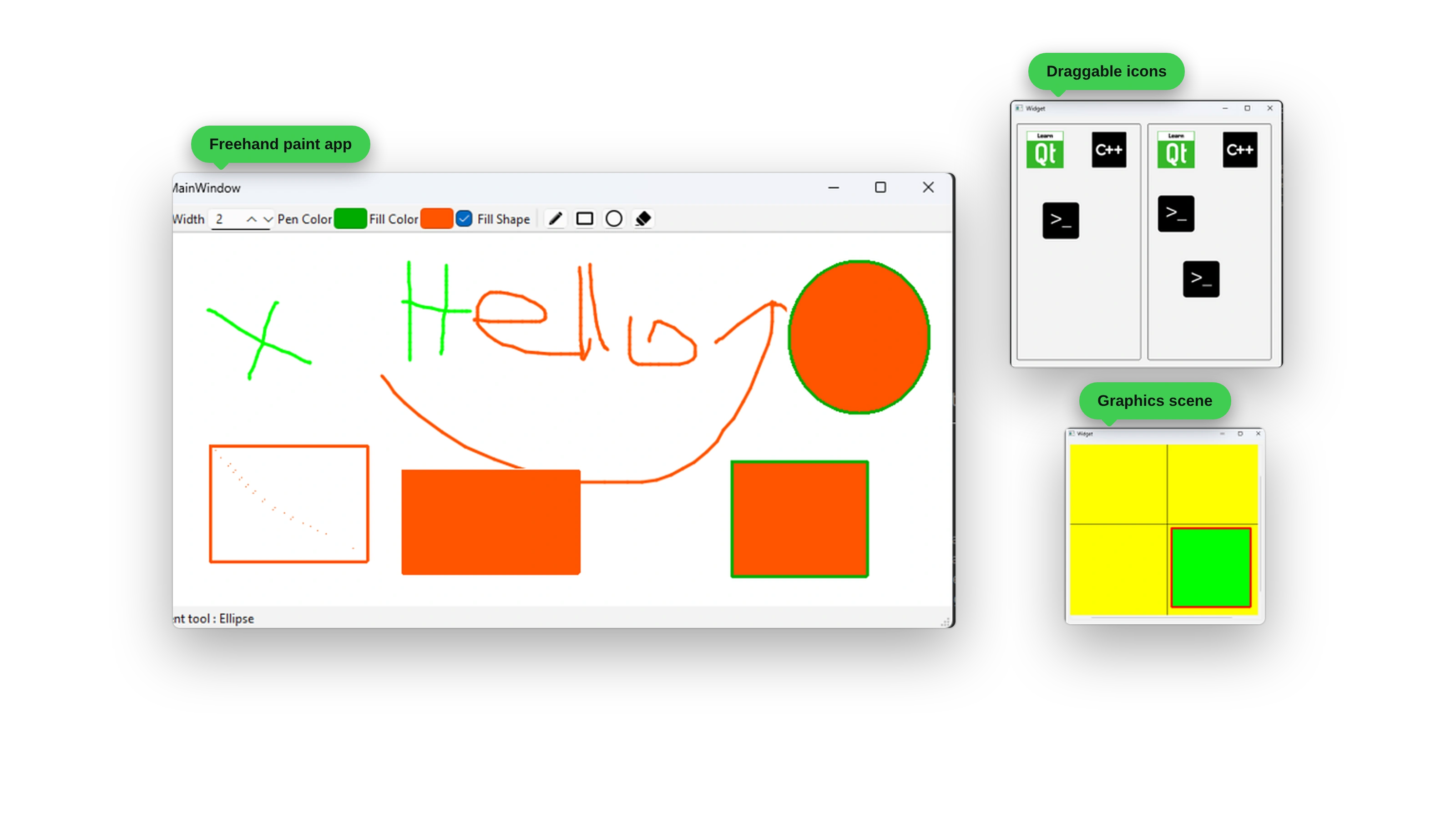
A freehand paint application with pen, rectangle, ellipse, and eraser tools, adjustable width, pen and fill colors, and a fill option, where you use Qt events at the lowest level. Then you’ll add drag and drop: dragging icons between widgets, receiving dropped images, and working with the clipboard. You’ll also meet your first graphics scene.
Custom Painting
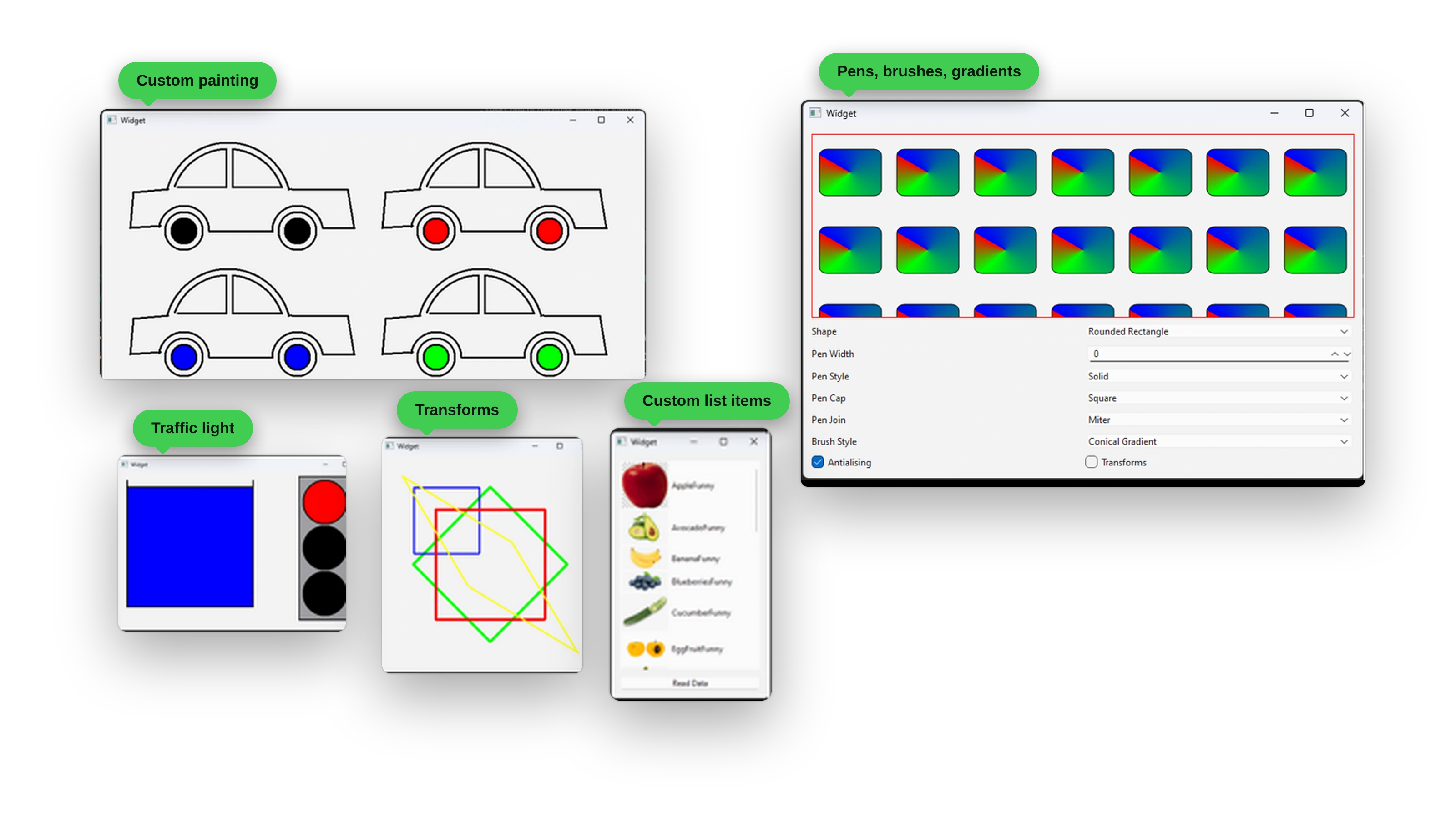
Take over how widgets look with QPainter. You’ll draw cars from scratch with different wheel colors, build a traffic light, and explore painter transforms. You’ll also build a playground for pens, brushes, and gradients where you change pen width, style, cap, join, brush style, and antialiasing and watch the result, and create custom list items with images.
Model-View Architecture
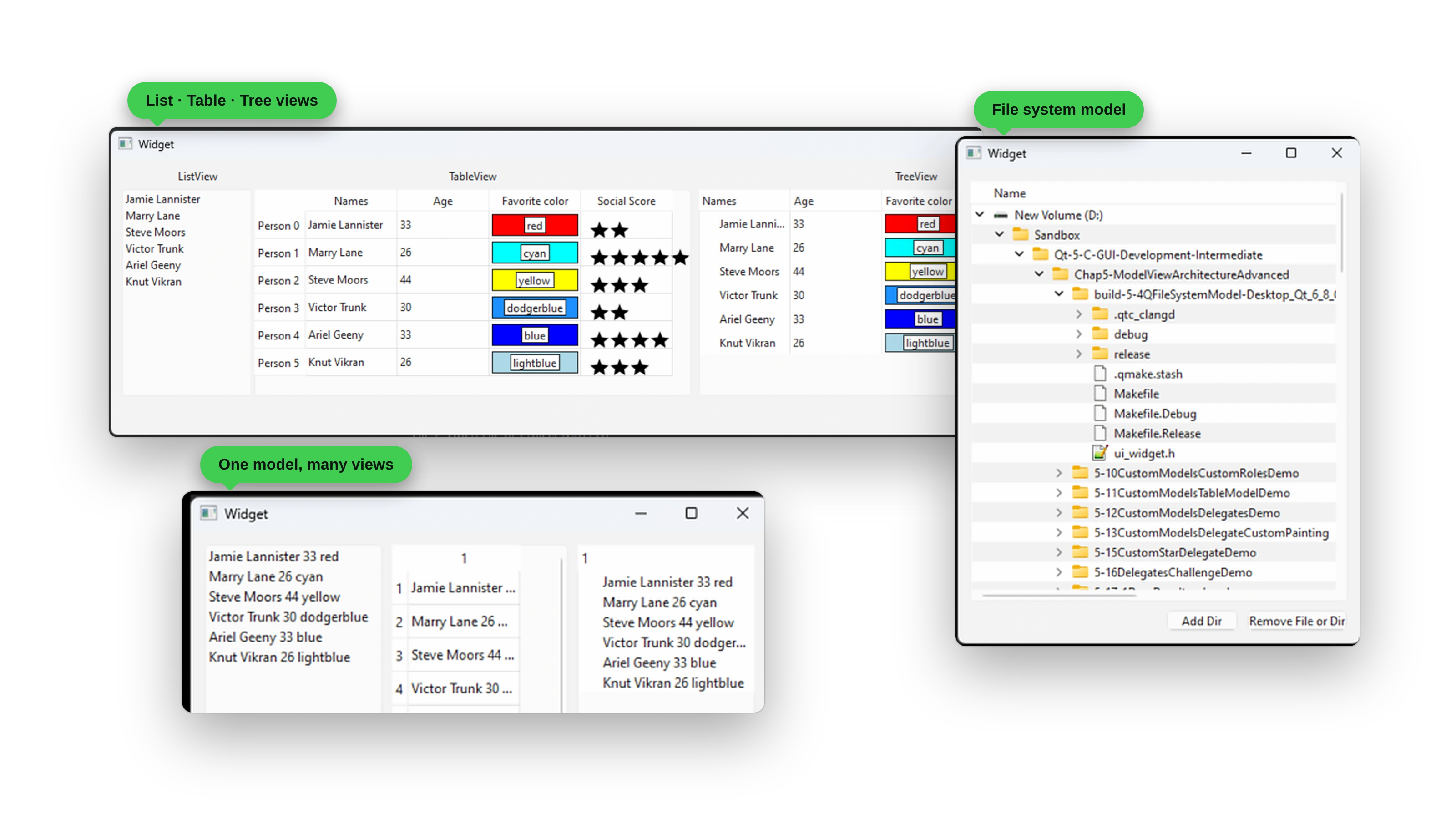
See one model feed list, table, and tree views at the same time, browse your file system with QFileSystemModel, and build custom delegates for colored cells and a star rating editor. From there you’ll build custom editable models, tree structures, and an Expense Tracker backed by SQLite.
And more: a Guess My Number game, a Calory Counter, a JSON HTTP client, a Water Level Monitor widget, and a multi-language app with runtime language switching.
After This Course, You’ll Be Able To:
- Build cross-platform desktop apps with C++ and Qt 6
- Create professional UIs with custom widgets and your own drawing code
- Handle databases, file I/O, and network communication
- Deploy applications with proper installers on Windows, Linux, and Mac
- Add GUI development to your C++ skill set
- Confidently apply for Qt developer positions
Created By Someone Who Understands The Struggle
“When I first learned Qt development, I had to scrape together tutorials, documentation, and forum posts. It was messy, overwhelming, and frustrating. I wished for a single resource that explained everything clearly.”
After 10+ years of professional Qt development and teaching thousands of students worldwide, Daniel Gakwaya has created the course he wished he had starting out:
- A clear path from beginner to professional
- Hands-on projects that grow with your skills
- Guidance that cuts through scattered docs and tutorials
This course is written for anyone who wants to master modern cross-platform desktop development with Qt. Beginners with no prior Qt or C++ experience will find a clear path into the framework. Web developers who want to deliver native desktop performance will discover a more efficient workflow. Mobile developers will learn how to create professional desktop applications. And students or researchers will gain practical experience that goes far beyond theoretical knowledge.
What you’ll get:
- 60+ hours of step-by-step video across 23 chapters and 224+ lessons
- Complete C++ source code for every project
- Downloadable PDFs, code templates, and project files
- Qt 6 and Qt Creator setup walkthroughs for Windows and Linux
- Lifetime updates as Qt evolves
- Discord community access with 4,000+ Qt developers
- Certificate of completion
Your complete learning journey: by the time you finish, you won’t just understand Qt Widgets. You’ll have built production-quality applications, learned to navigate Qt’s documentation, and developed the confidence to create your own projects from scratch. From simple utilities to complex business applications, you’ll have the skills to bring your ideas to life with professional desktop interfaces.
🛡️ 30-DAY MONEY-BACK GUARANTEE
If you’re not completely satisfied with your progress after 30 days, get a full refund. No questions asked.
- Full 30-day trial period
- No questions asked
- Email support for refunds
- Risk-free learning
STILL HAVE QUESTIONS?
Get personalized help from instructor Daniel Gakwaya and the community.
- Join our Discord: chat with 4,000+ Qt developers, usually replied to within hours
- Email the instructor: daniel.g@learnqt.guide
Ready to build amazing C++ desktop apps? Enroll today and start your journey. Or just start by watching the beginning free preview chapters to make sure the course works for you.
Your instructor
Daniel Gakwaya
Daniel is a Founder and Senior Software Engineer at Squared Computing. He has been writing software since 2011 and Qt is one of his favorite frameworks. Many of his cross platform Qt based projects are completed and out there on the market. Autodidact by nature ,he has a passion for learning new things and loves sharing knowledge with others. Especially people new to the dark art of software development.
What students say
No reviews are published yet.
Questions
Do I need prior programming experience?
No! The course is designed to be approachable, and it includes a C++ crash course to get you up to speed. If you already have programming experience, you’ll be able to progress faster.
What if I get stuck on something?
You’ll have access to our Discord community of 4,000+ developers, plus direct help from Daniel. Most questions are answered within hours, and complex issues get detailed video responses.
How long will it take to complete?
Most students finish in 8-12 weeks studying 1-2 hours per day. With lifetime access, you can go at your own pace, with no pressure or deadlines.
Will this help me get a job?
Absolutely! The course focuses on real-world projects that showcase skills employers want. Many students have landed developer roles, freelance contracts, and promotions after completing our courses.
What if I'm not satisfied?
We offer a 30-day money-back guarantee. If you’re not completely satisfied with your progress, get a full refund, no questions asked.
Does the course get updated?
Yes! You get lifetime updates as technologies evolve. When Qt releases new versions or new content is added, you get it automatically at no extra cost.