Qt Quick 3D: Building Real-World 3D Applications
Four real applications, typed lesson by lesson, in Qt 6.10
About this course
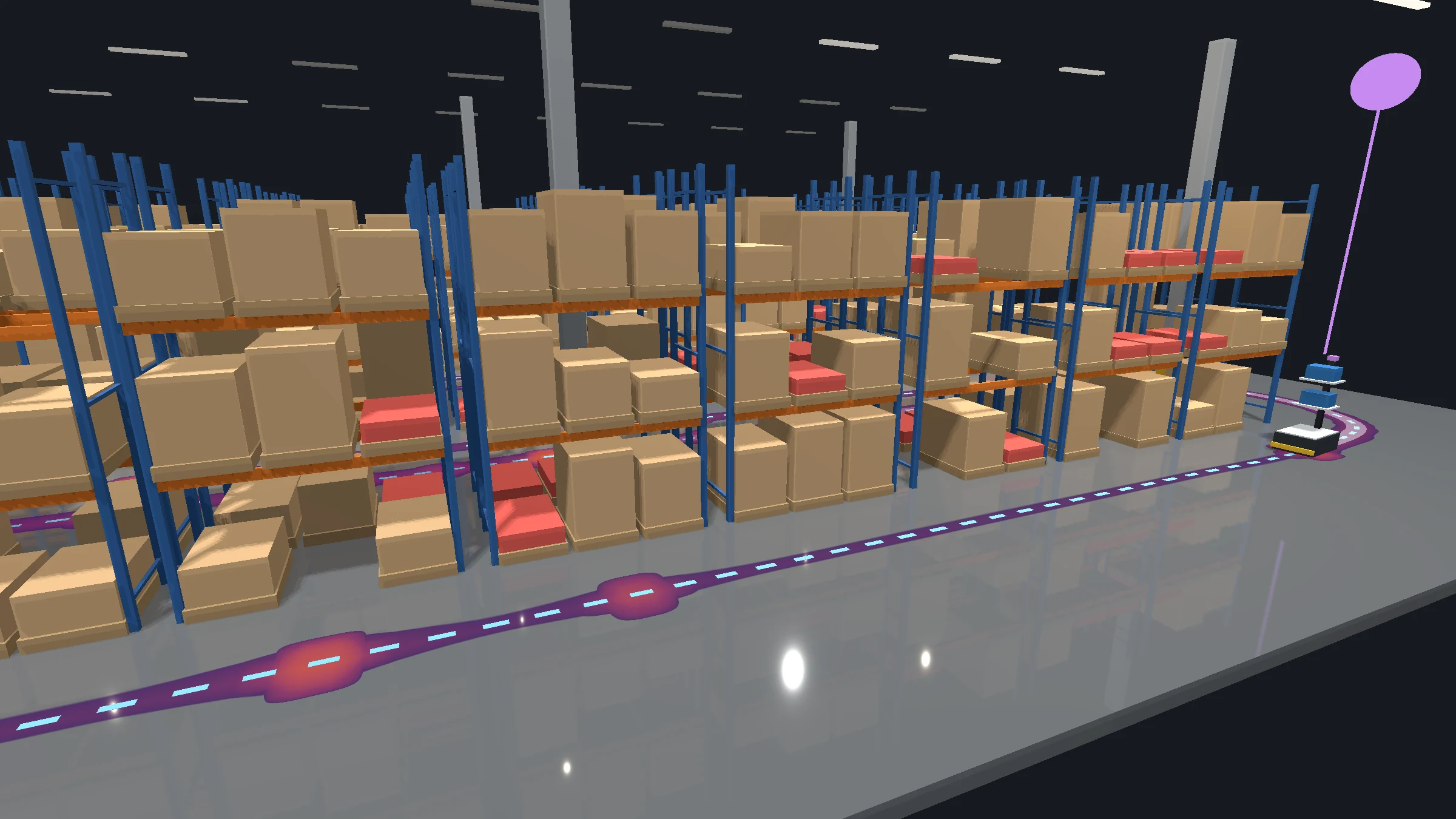
Build a building floor viewer, a car's instrument cluster, an industrial plant HMI and a warehouse digital twin by typing them, lesson by lesson, until each one runs on your own machine. Every listing, figure and exercise answer comes from code that was built and run. For developers who already know QML, C++ and CMake, on Linux, Windows and macOS.
Curriculum
1 Chapter 0: Getting ready 5 lessons
- 01 What you will build
- 02 Installing Qt 6.10
- 03 Your first build
- 04 The QML you need
- 05 The C++ you need
2 Chapter 1: Qt Quick 3D foundations 10 lessons
- 01 Your first 3D scene
- 02 When nothing renders
- 03 Scenes, views and node trees
- 04 Coordinate system and transforms
- 05 Built-in primitives
- 06 Cameras
- 07 Lighting fundamentals
- 08 Shadows
- 09 PrincipledMaterial
- 10 IBL and skyboxes
3 Chapter 2: Scene composition 10 lessons
- 01 Project setup
- 02 The building shell
- 03 A room from primitives
- 04 Reusable components
- 05 Equipment components
- 06 The zone model
- 07 Updating without rebuilding
- 08 One floor at a time
- 09 Repeater3D and Loader3D
- 10 Organising a growing scene
4 Chapter 3: Cameras and lighting 6 lessons
- 01 Orbit camera controller
- 02 Constraining the orbit
- 03 Animated camera transitions
- 04 Multi-light setup
- 05 Which lights cast shadows
- 06 IBL with HDR environment maps
5 Chapter 4: Materials and visual feedback 7 lessons
- 01 Materials for architecture
- 02 Temperature to colour
- 03 Occupancy and status
- 04 Behavior animations
- 05 Transparent surfaces
- 06 Emissive materials
- 07 Tuning the look
6 Chapter 5: Interaction and overlays 7 lessons
- 01 Object picking
- 02 Selection highlighting
- 03 Panels over the viewport
- 04 The zone info panel
- 05 Screen-space tracking
- 06 The REST client
- 07 Live data end to end
7 Chapter 6: Interlude, making it fast 3 lessons
- 01 Seeing the frame
- 02 Counting draw calls
- 03 A performance budget
8 Chapter 7: Multi-viewport rendering 5 lessons
- 01 Three viewports, one window
- 02 Per-viewport environments
- 03 Render-to-texture
- 04 Environment crossfade
- 05 The cost of a viewport
9 Chapter 8: Procedural gauges 6 lessons
- 01 The dial
- 02 Tick marks
- 03 The needle
- 04 Making it feel mechanical
- 05 A reusable gauge
- 06 Digital readouts
10 Chapter 9: Models and the asset pipeline 4 lessons
- 01 Importing a model
- 02 Materials on imported meshes
- 03 When an import looks wrong
- 04 Preparing assets yourself
11 Chapter 10: Custom shaders 6 lessons
- 01 When PrincipledMaterial is not enough
- 02 Your first fragment shader
- 03 Metallic paint
- 04 Uniforms from QML
- 05 When a shader will not compile
- 06 Drive mode transitions
12 Chapter 11: Post-processing and effects 6 lessons
- 01 ExtendedSceneEnvironment
- 02 Ambient occlusion and vignette
- 03 Effect chains per drive mode
- 04 Telltale indicators
- 05 Warning state effects
- 06 The MQTT client
13 Chapter 12: Instanced rendering 5 lessons
- 01 Why instancing
- 02 InstanceList
- 03 Per-instance colour
- 04 Instances from data
- 05 Composing the plant
14 Chapter 13: Procedural mesh generation in C++ 6 lessons
- 01 QQuick3DGeometry
- 02 Winding, normals and culling
- 03 A liquid surface
- 04 Updating geometry at runtime
- 05 Transparent vessels
- 06 Equipment from geometry
15 Chapter 14: Particle effects 5 lessons
- 01 ParticleSystem3D
- 02 Steam
- 03 Sparks
- 04 Leaks
- 05 A particle budget
16 Chapter 15: Billboards and multi-view 6 lessons
- 01 The billboard technique
- 02 QML rendered into 3D
- 03 Sensor billboards
- 04 Decluttering
- 05 Orthographic floor plan
- 06 Split-view and dual protocols
17 Chapter 16: Interlude, testing what you can see 3 lessons
- 01 Testing the C++
- 02 Headless rendering
- 03 Golden images
18 Chapter 17: Dynamic scene graphs 6 lessons
- 01 Nodes at runtime
- 02 Loader3D and async loading
- 03 Dragging in 3D
- 04 Snapping and validity
- 05 Collision detection
- 06 Saving the layout
19 Chapter 18: LOD and reflections 4 lessons
- 01 The cost of detail
- 02 A rack in two draw calls
- 03 LodManager
- 04 ReflectionProbe
20 Chapter 19: Path animation and trails 7 lessons
- 01 Catmull-Rom interpolation
- 02 A robot on a path
- 03 Robot states
- 04 Proximity and zone lighting
- 05 Trail geometry
- 06 Inventory visualisation
- 07 The KPI dashboard
21 Chapter 20: Advanced shaders and render passes 5 lessons
- 01 The floor heatmap shader
- 02 Data into a texture
- 03 The minimap
- 04 Three protocols at once
- 05 The finished twin
22 Chapter 21: Shipping it 4 lessons
- 01 Architecture in review
- 02 A performance pass
- 03 Qt Quick 3D and its neighbours
- 04 What's next
What students say
No reviews are published yet.